CREW TIME
Stop Drowning in Spreadsheets.
Schedule Your Crew & Track Time for Payroll.
Say goodbye to Excel and paper timesheets. Visual scheduling meets payroll-ready time tracking—all in one place.
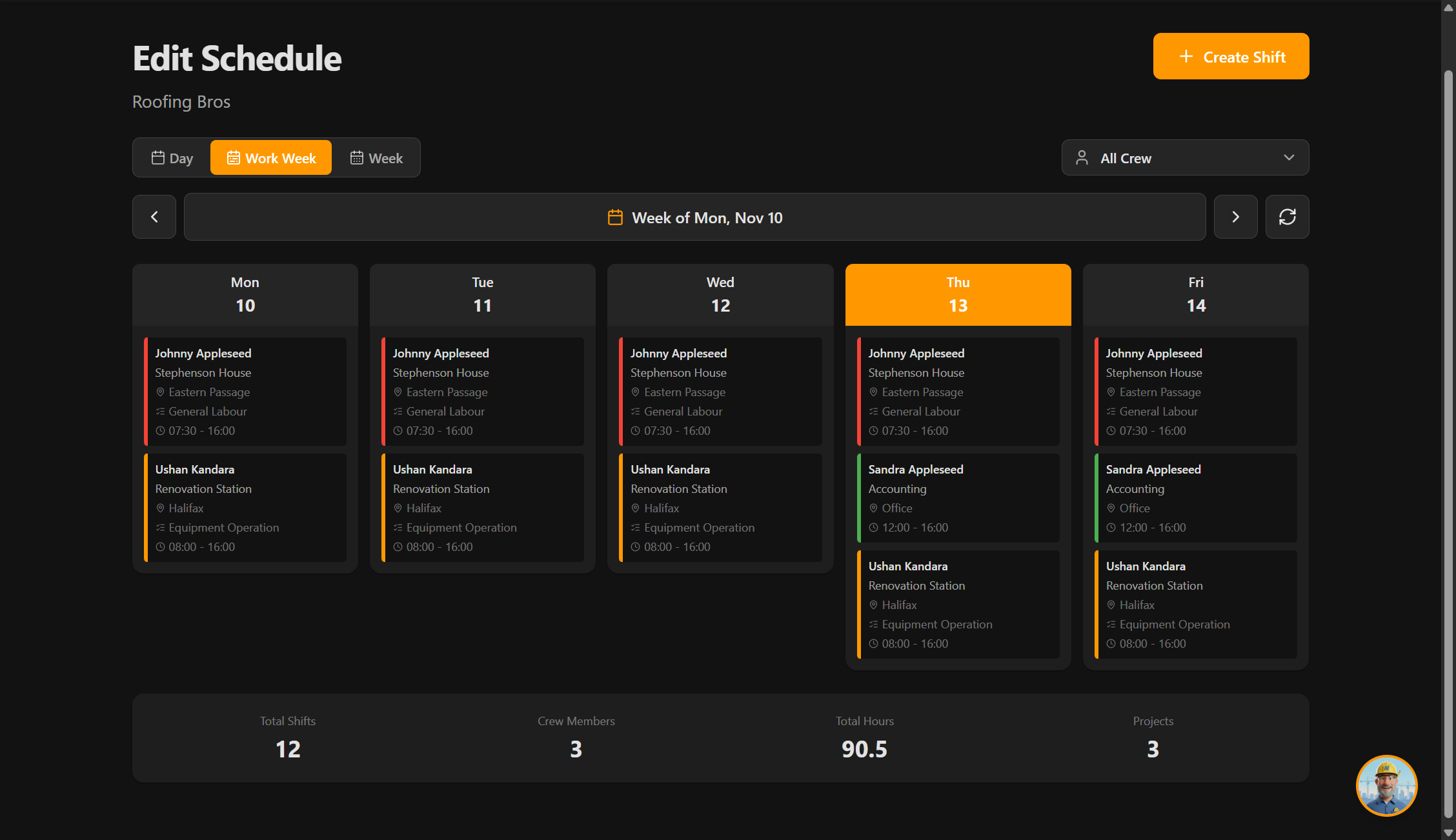
Visual Crew Scheduling
See who's working at a glance
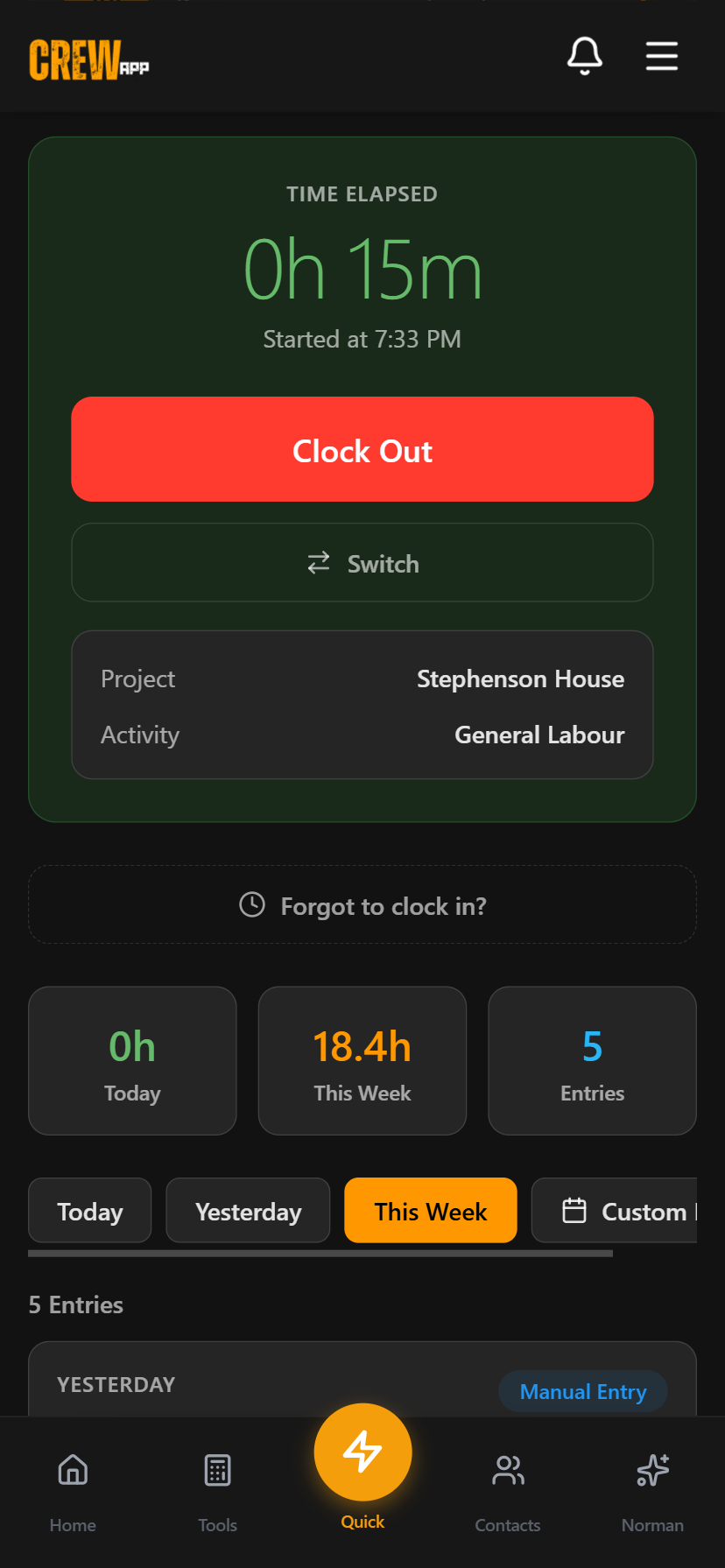
Quick Clock In/Out
With CSV export for payroll
30-day trial included • Set up in 48 hours
Built in Nova Scotia, Trusted by NS Trades & Construction




Everything You Need to Stay Organized & Get Paid
Quick Clock In/Out
Simple time tracking from mobile or desktop. Workers can correct their own time entries—admins see the complete audit trail. No more payroll disputes.
Visual Crew Scheduling
Assign crews, track availability, and manage shifts with drag-and-drop ease. Weekly and daily views that make planning simple.
CSV Export for Payroll
Export approved time entries with activity codes to CSV. Custom date ranges ready for your accounting system. Payroll prep in minutes, not hours.
Equipment & Credentials
Track equipment status, vehicle assignments, and digital certificates. Know who has what and when credentials expire. Stay compliant effortlessly.
Complete Audit Trail
Every time edit is tracked with visual timeline. Full accountability and transparency. Perfect for audits and dispute resolution.
Get Organized in 3 Simple Steps
Set up in 48 hours. Start saving time immediately.
Set Up Your Crew
Add your team members, projects, equipment, and activity codes. We'll walk you through it—takes minutes, not hours.
Crew Members Clock In/Out
Crew members use any device to clock in and out. Optional project assignment and notes. Simple, fast, accurate.
Export to Accounting
Approve time entries, export to CSV with activity codes. Ready for your payroll system. Payroll prep done in minutes.
From Chaos to Organized
Before Crew App
- 5+ hours/week on paper timesheets and Excel chaos
- Lost or illegible paper timesheets
- Payroll disputes from manual time entry errors
- No idea who's working where or when
- Manual calculations for every pay period
After Crew App
- Quick clock in/out from mobile or desktop
- Automatic hour calculations with visual timeline
- Complete audit trail for accountability
- CSV export ready for your accounting system
- Visual scheduling so you see who's working at a glance
Built-In Time Tracking.
Ready for Payroll.
Quick clock in/out with automatic approval workflow. Track crew hours, export to CSV for payroll, and manage time entries with ease. No more paper timesheets.
Quick Clock In/Out
Simple clock in/out from mobile or desktop. Optional project assignment and notes for each entry.
Admin Approval Workflow
Review and approve time entries with single or bulk actions. Add rejection reasons when needed.
CSV Export for Payroll
Export approved time entries with activity codes to CSV. Custom date ranges. Ready for your accounting system.
Custom Date Filtering
View time entries by today, yesterday, this week, or any custom date range you choose.
Active Now View
See who's currently clocked in with real-time elapsed time tracking. Perfect for crew oversight.
Automatic Duration Calculation
Hours are calculated automatically. Stats dashboard shows daily and weekly totals at a glance.
Activity Codes. Export Ready.
Add your accounting codes to shifts and time entries. CSV exports include activity codes for easier sync with your accounting system.
Complete Edit History
Crew members can correct their own time errors. Admins see complete audit timeline with full accountability. No more payroll disputes.
Quick Switch Between Tasks
Clock out of one activity and into the next without separate steps. Switch from framing to drywall, or between projects, all in one flow.
Work Week View
Monday-Friday scheduling view with separate hours calculation. Schedule the way construction crews actually work.
Mobile Clock In/Out
Quick time tracking for crew members on the go
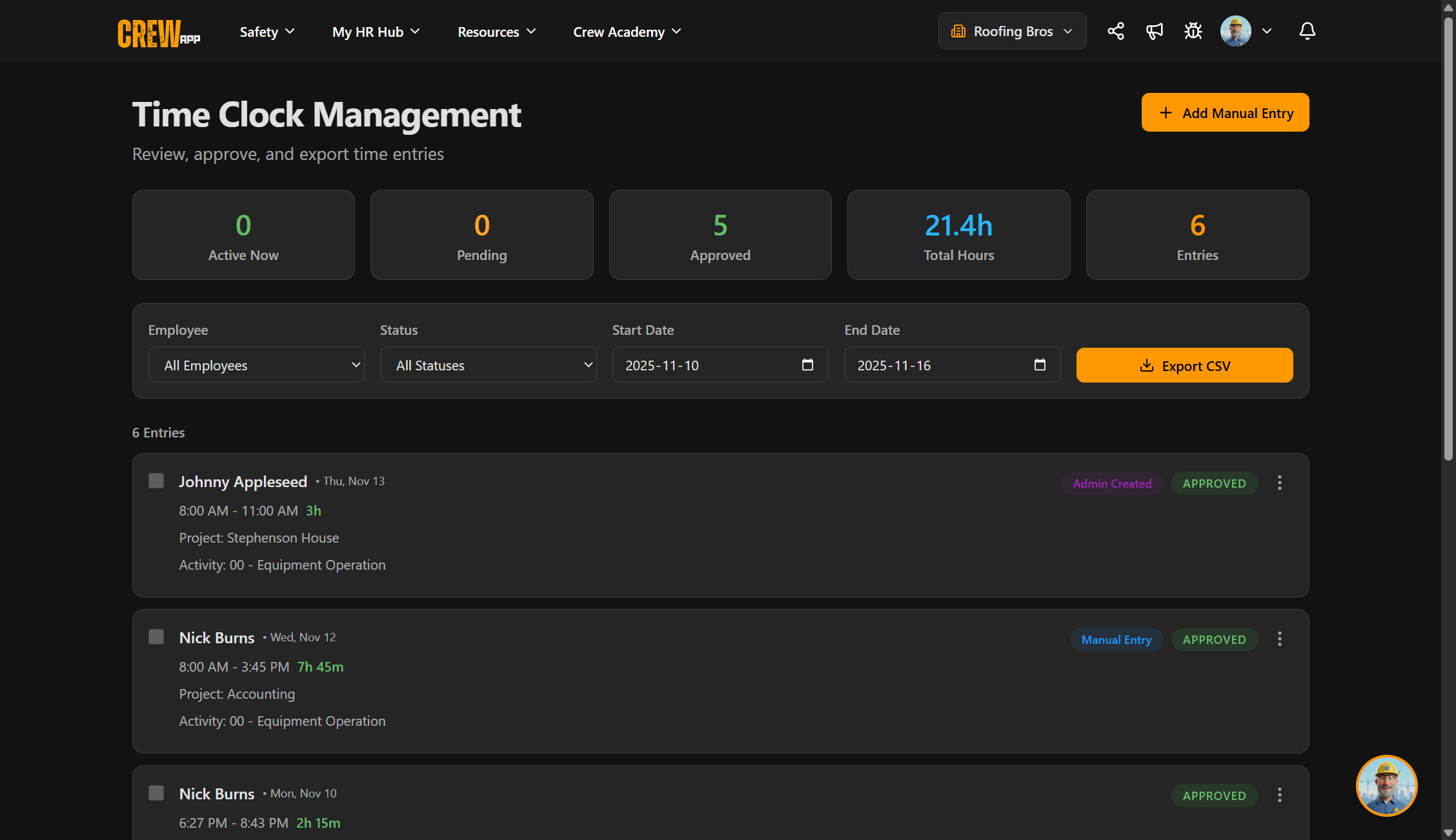
Admin Management Dashboard
Approve entries, manage workforce, and export for payroll
Track Time. Simplify Payroll. Stay Organized.
The time clock feature is included with Crew App. Real-time tracking meets seamless payroll integration—all in one platform.
Need Help Getting Started?
Check out our step-by-step guides for crew members and administrators.